
In this part of the Frida on Android series, I’ll show you how to properly hook functions from Android native libraries using Frida. I created a demo application to demonstrate the issues that can arise from doing things wrong, and I’ll explain why and how the method I’m using solves them.
Demo App Overview
The demo application’s source code can be found at the GitHub repository. You can clone and build the application yourself, or you can simply download the prebuilt APK file from the repository’s releases page.
Install it on your device, run it once or twice, and let’s briefly go over the code.
nativeexample.cpp
This is the native code of the application. Compiled into a native library named "libnativeexample.so".
Code
#include <jni.h>

extern "C" JNIEXPORT jboolean JNICALL
Java_com_noobexon_nativeexample_MainActivity_should_1say_1hello(
    JNIEnv *env,
    jobject thiz
) {
    return JNI_FALSE;
}
Flow
- Declares
should_say_hello(): a simple boolean native function that always returnsfalse.
MainActivity.java
This is the code for the main activity of the application.
Code
package com.noobexon.nativeexample;

import android.os.Bundle;
import android.widget.Toast;

import androidx.appcompat.app.AppCompatActivity;

public class MainActivity extends AppCompatActivity {

    static {
        System.loadLibrary("nativeexample");
    }

    private native boolean should_say_hello();

    @Override
    protected void onCreate(Bundle savedInstanceState) {
        super.onCreate(savedInstanceState);

        if (should_say_hello()) {
            Toast.makeText(this, "Hello from native!", Toast.LENGTH_LONG).show();
        } else {
            Toast.makeText(this, "Nope!", Toast.LENGTH_LONG).show();
            finishAffinity();
            android.os.Process.killProcess(android.os.Process.myPid());
        }
    }
}
Flow
- App starts.
- Native library
libnativeexample.sois loaded. - Boolean native function
should_say_hello()is called fromlibnativeexample.so. - Based on the return value:
trueReturned -> Shows the message"Hello from native!"in aToast.falseReturned -> Shows the message"Nope!"in aToast. The application is also immediately killed.
Goal
As things stand now, the function should_say_hello() always returns false, making the app immediately kill itself.
Our goal is to use Frida to hook said function, so that it returns true. If we manage to do that, a different message will be shown and the app won’t kill itself on launch.
Hook Requirements
To hook a function from a native library, we need to supply Frida with two pieces of information:
- The memory base address where the native library is loaded.
- The offset of the target function from that base address.
Why? Because Frida must know the exact place where it needs to install the hook. That exact place is the absolute memory address of the function. To get the absolute memory address of the function, we can compute the following:
[func_absolute_addr] = [lib_base_addr] + [func_offset_from_base]
Lucky for us, Frida can enumerate the application’s memory map at runtime and give us the base address of the library for free. Therefore, all that remains for us to do is find the offset of the function from the native library base address and we are set.
Finding the Offset
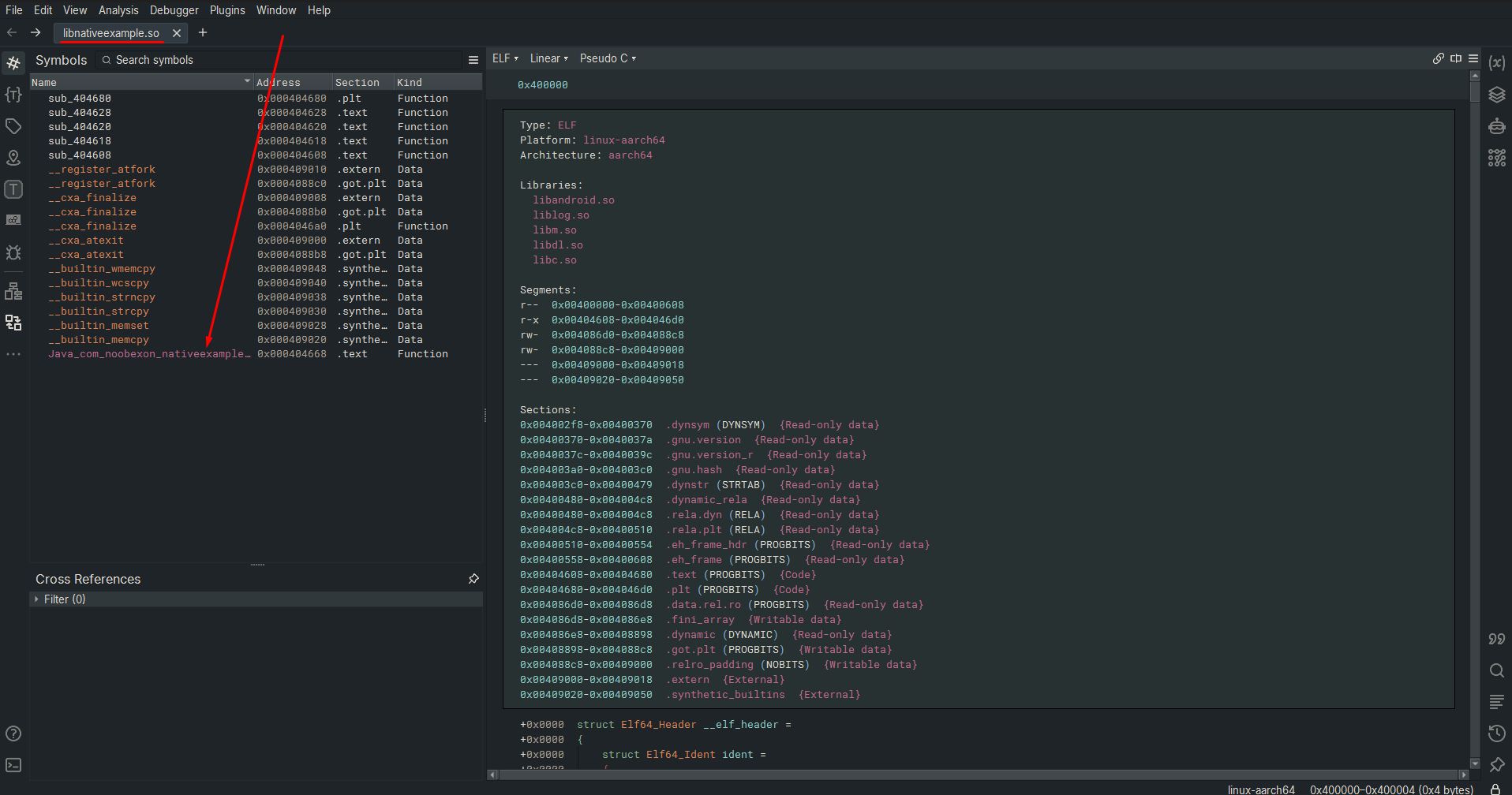
To find the offset, you can use your preferred disassembler or decompiler to explore libnativeexample.so:
- Open a terminal and navigate to the folder in which you downloaded the
apkfile:

- Decompile it using apktool. You should see an output folder:


- Inside of the output folder, you can find the native library at the following location:

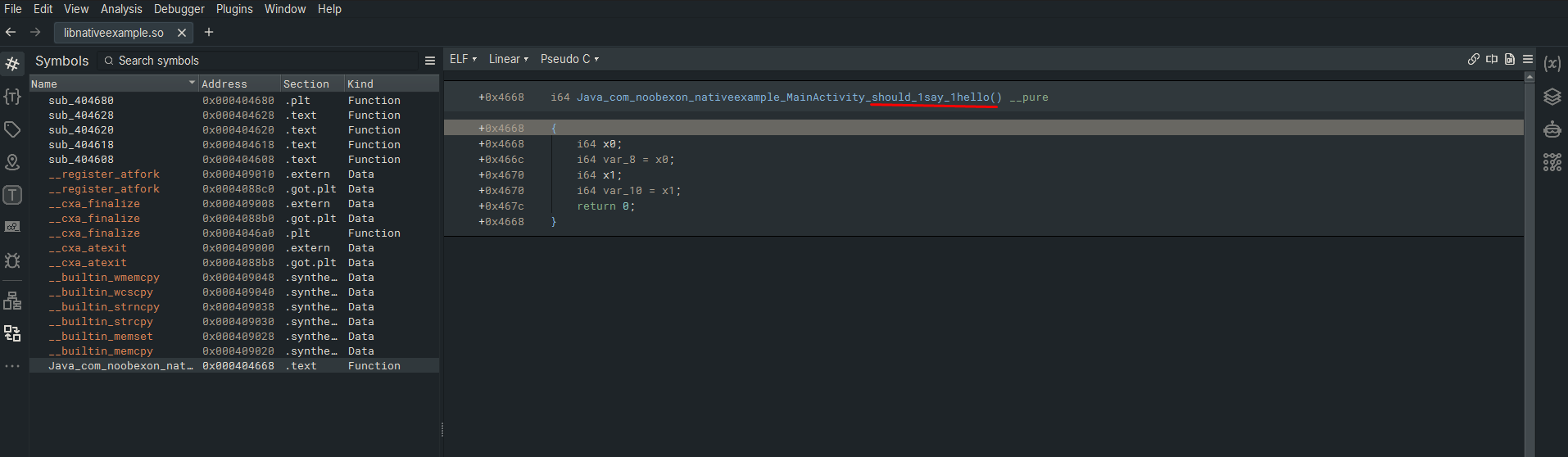
- Open the native library in your decompiler (I’ll be using Binary Ninja). You should immediately see our target function. Click on it:
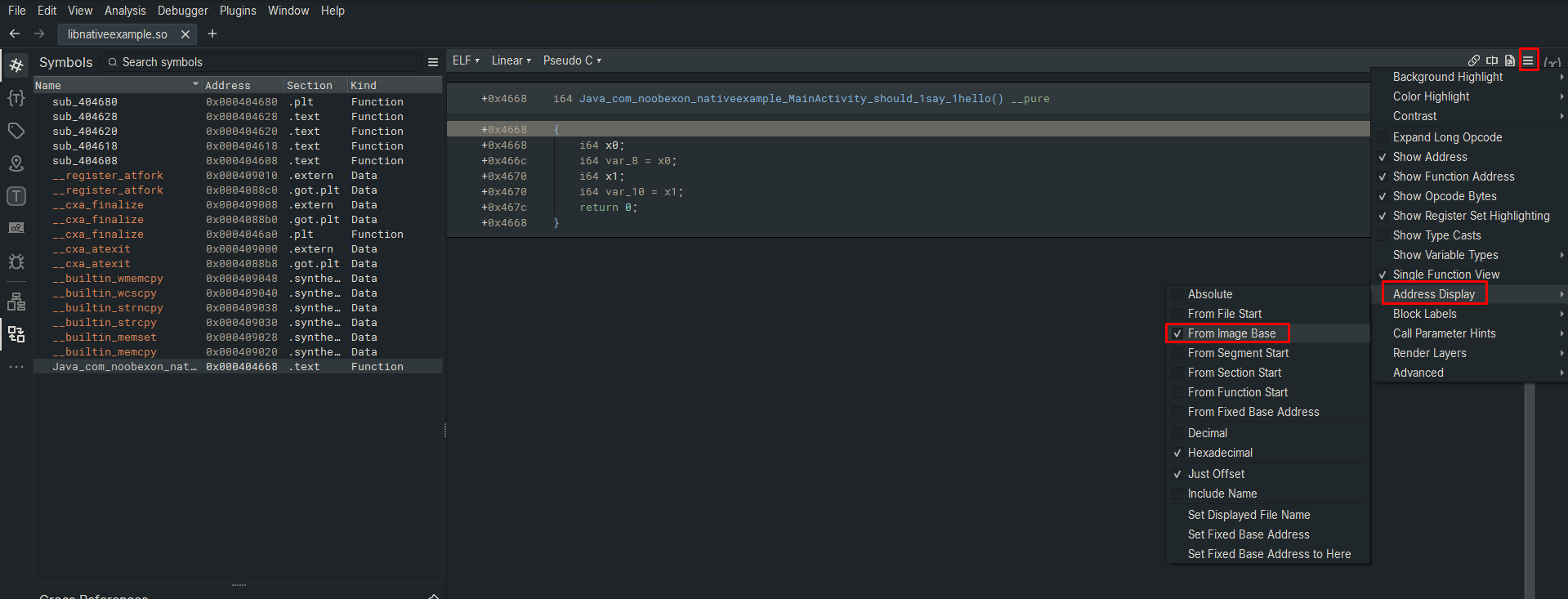
- Make sure the decompiler is configured to show you the offset of the function from the image base:
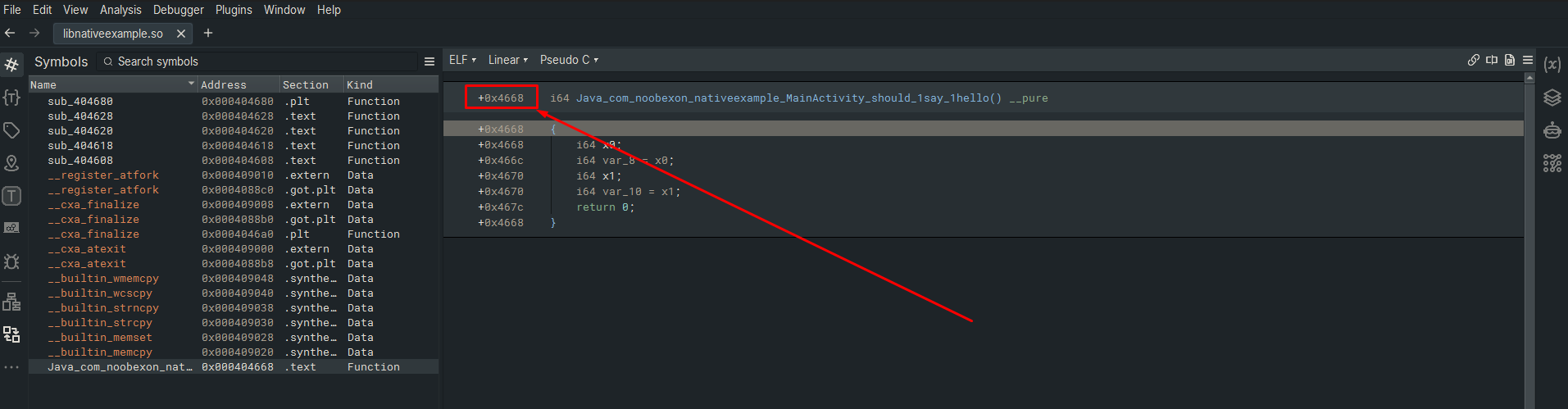
- Once verified, the offset is as seen here:
First Hook Attempt (Fail)
Now that we have the offset of the target function from the base address of the native library (0x4668), we can try plugging our results into a generic native hook pattern.
Generic Native Hook Pattern
The following is my common pattern to hook a native function using Frida:
Frida Snippet
(function () {
    const moduleName = "libnativeexample.so"; // <-- Native library name
    const functionName = "should_say_hello"; // <-- Name of the function
    const functionOffset = "0x4668"; // <-- The offset we just found

    const module = Process.findModuleByName(moduleName);
    if (module != null) {
        const targetAddr = module.base.add(functionOffset);
        console.log(`[+] Hook installed for [${functionName}]`);
        Interceptor.attach(targetAddr, {
            onEnter: function (args) {
                console.log(`-> entered [${functionName}] at [${targetAddr}]`);

                // Your code goes here...
            },
            onLeave: function (retval) {
                console.log(`<- leaving [${functionName}] at [${this.context.pc}]`);

                console.log(`[+] Original return value was: ${retval.toInt32()}`);
                retval.replace(1);
                console.log(`[+] Modified to: ${retval.toInt32()}`);
            }
        });
    } else {
        console.log("[!] Failed to find module");
    }
})();
Code Breakdown
Let’s understand how this Frida script works.
- We plug in our findings from the previous section into the constant variables:
...
const moduleName = "libnativeexample.so"; // <-- Native library name
const functionName = "should_say_hello"; // <-- Name of the function
const functionOffset = "0x4668"; // <-- The offset we just found
...
- We ask
Fridato find the native library from the application’s memory map at runtime. If successful, we perform the calculation of adding the target function’s offset to the module base address to get the function’s absolute memory address.
...
const module = Process.findModuleByName(moduleName);
    if (module != null) {
        const targetAddr = module.base.add(functionOffset);
...
- Finally, we use
Frida'sInterceptorto install the hook at the calculatedtargetAddrand provide the callbacks for when we enter the function and for when we leave it. Inside theonLeavecallback, we modify the return value from0to1, which corresponds to changing the return value fromfalsetotrue.
...
Interceptor.attach(targetAddr, {
    onEnter: function (args) {
        console.log(`-> entered [${functionName}] at [${targetAddr}]`);

        // Your code goes here...
    },
    onLeave: function (retval) {
        console.log(`<- leaving [${functionName}] at [${this.context.pc}]`);

        console.log(`[+] Original return value was: ${retval.toInt32()}`);
        retval.replace(1);
        console.log(`[+] Modified to: ${retval.toInt32()}`);
    }
});
...
Testing the Hook
All that is left to do is run the script on the target application and see if it works.
- In the same folder where you put the
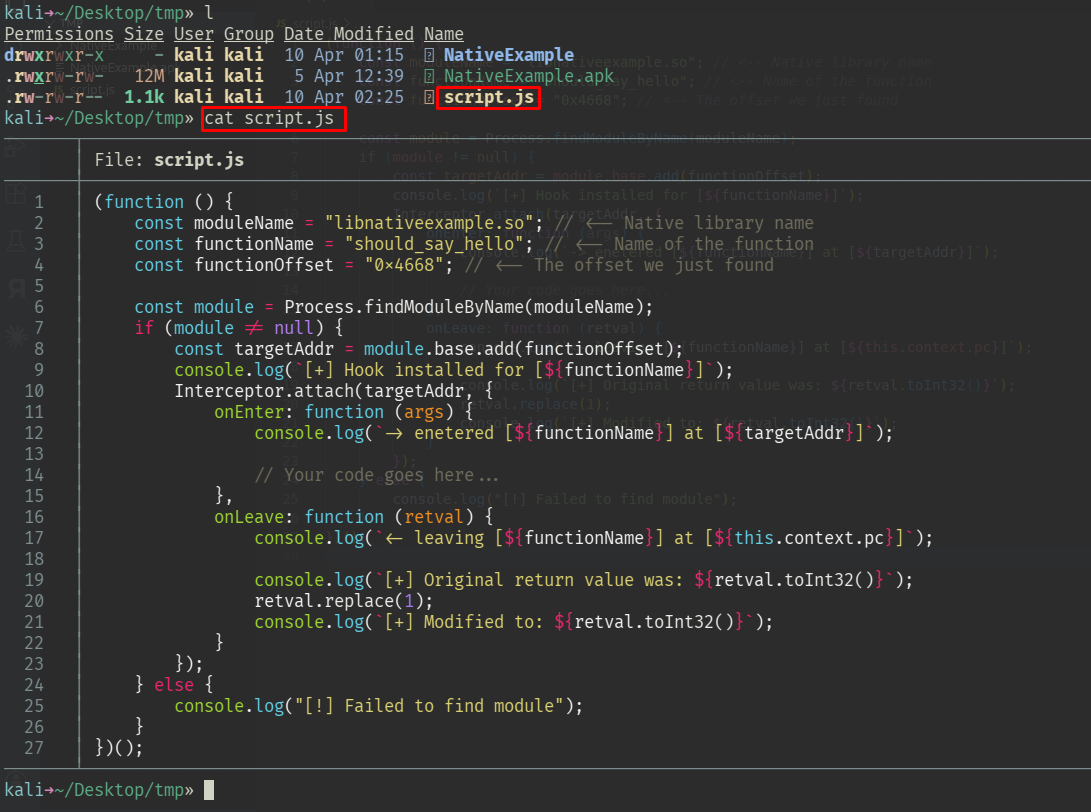
apk, create a file namedscript.jsand paste ourFridacode snippet in it:
- Run
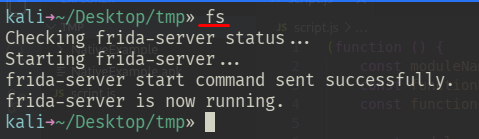
frida-serverif you haven’t already:
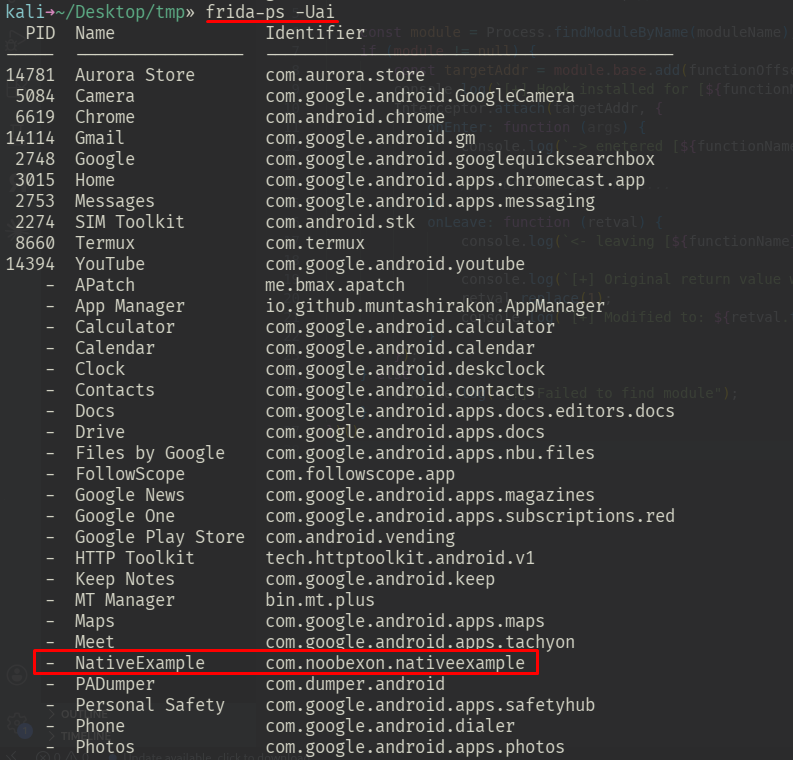
- Get the package name of our demo application using
Frida:
frida-ps -Uai
- Finally, make
Fridaspawn the target application and immediately execute ourscript.jsfile:
frida -U -f com.noobexon.nativeexample -l script.js
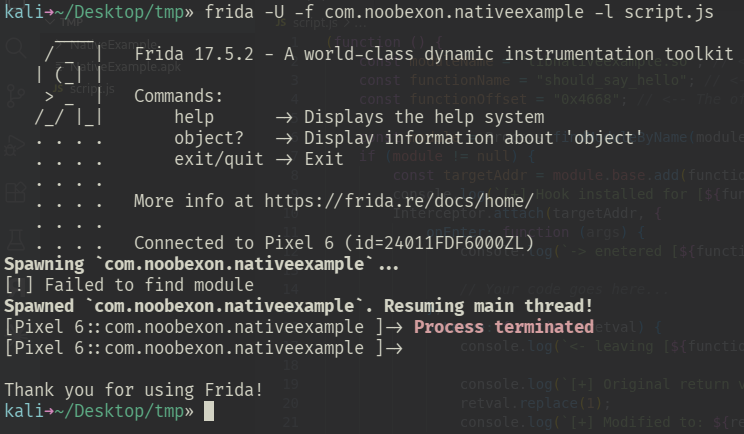
As you may have already guessed from this section’s title, our script fails. But why?
What went wrong?
The problem
To understand what went wrong, we just need to read the output from Frida:
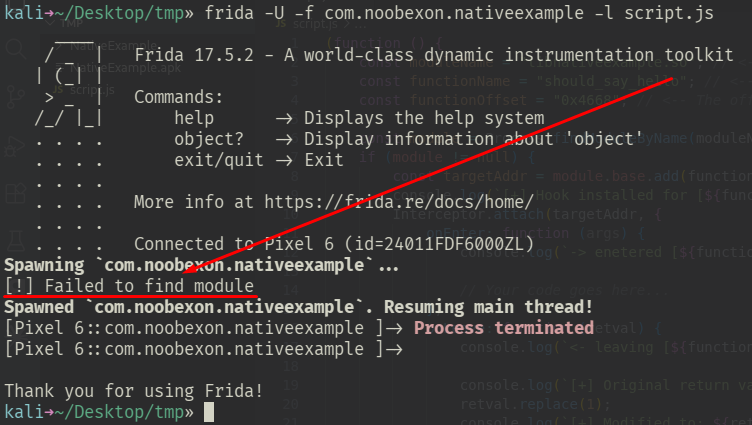
In fact, if we take a closer look at our code in script.js, we can see that this message is actually from our logs:
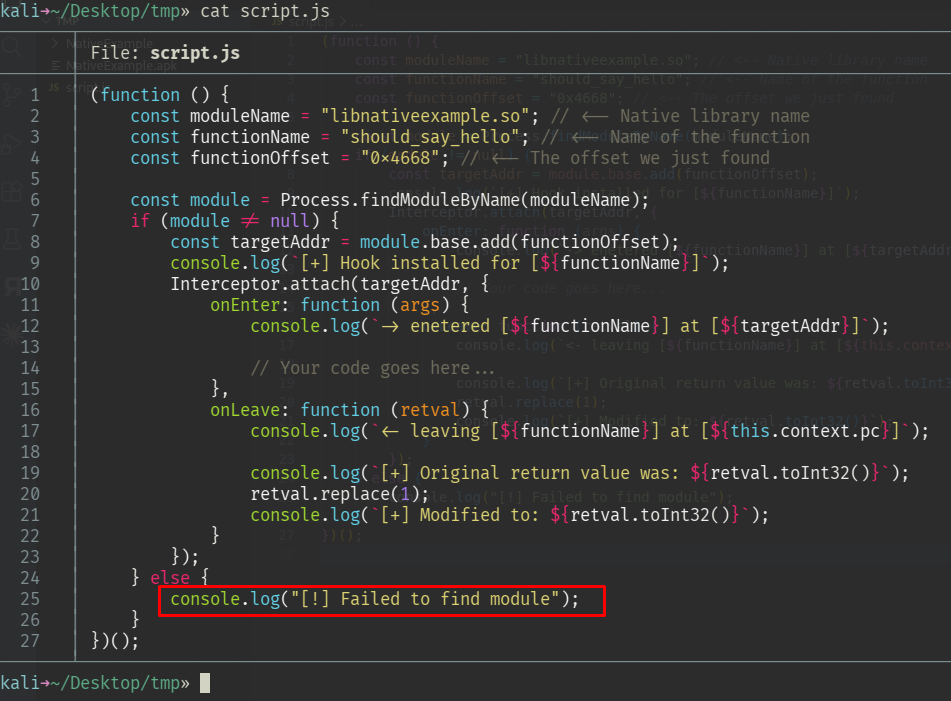
And if we zoom further in on the issue, we can see that it stemmed from this part of the code:
...
const module = Process.findModuleByName(moduleName);
if (module != null) {
    ...
} else {
    console.log("[!] Failed to find module");
}
...
This means Frida couldn’t find the native library in memory and therefore returned null… But why? After all, if we run the application without Frida, then we do see that everything works perfectly, so the native library must have been loaded at some point, right?
And that is exactly the problem here. Frida is fast. Very fast. The moment we run the command in our shell, it immediately tries to install the hook as fast as possible, even before the application had a chance to load the native library to memory, and Frida can’t find the library in memory if it hasn’t been loaded yet.
So what can we do?…
Well, our problem is in fact a timing issue. Frida attempts to hook the native library before it has been loaded to memory, and therefore fails. If we can somehow tell Frida when it needs to install the hook, then our problems will be solved. And that is exactly what we are going to do!
The solution
How can we let Frida know for sure that the library is loaded and that it’s now ok to install the hook? There are many solutions out there, but most of them are based on busy-waiting – constantly polling the memory map every few milliseconds until the target library appears. This works only sometimes, and it’s wasteful and fragile.
We will take a different approach. To know when our target library has been loaded to memory, we can hook the function that actually loads libraries to memory. This function is called android_dlopen_ext and it takes the path of the library to be loaded as its first argument.
Modify the contents of script.js with the following and run the same command:
(function () {
    const dlopenAddr = Module.getGlobalExportByName("android_dlopen_ext");
    if (dlopenAddr != null) {
        Interceptor.attach(dlopenAddr, {
            onEnter: function (args) {
                const loadPath = args[0].readCString();
                console.log(`[+] loading ${loadPath}!`);
            },
        });
    }
})();
This snippet will print every library being dynamically loaded:
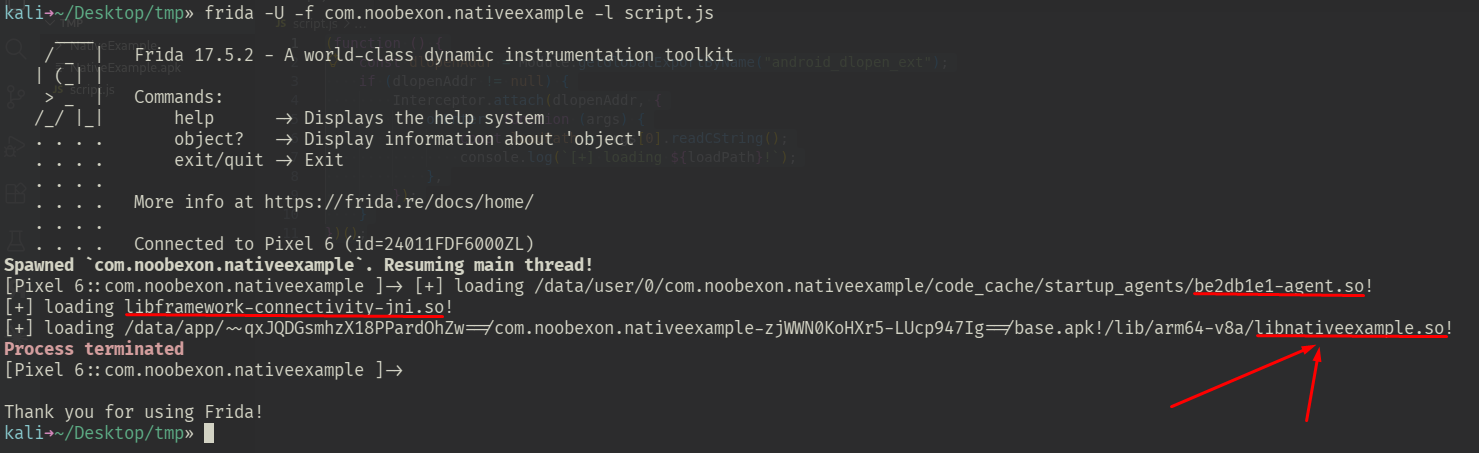
Therefore, we can use the following hook as a mechanism to let Frida know when to install the hook:
(function () {
    const targetLibName = "libnativeexample.so";

    const dlopenAddr = Module.getGlobalExportByName("android_dlopen_ext");
    if (dlopenAddr != null) {
        Interceptor.attach(dlopenAddr, {
            onEnter: function (args) {
                const loadPath = args[0].readCString();
                if (loadPath != null && loadPath.includes(targetLibName)) {
                    this.isTarget = true;
                }
            },
            onLeave: function () {
                if (this.isTarget) {
                    console.log(`[+] ${targetLibName} loaded!`);

                    // ** Your code goes in here... **

                    this.isTarget = false;
                }
            }
        });
    }
})();
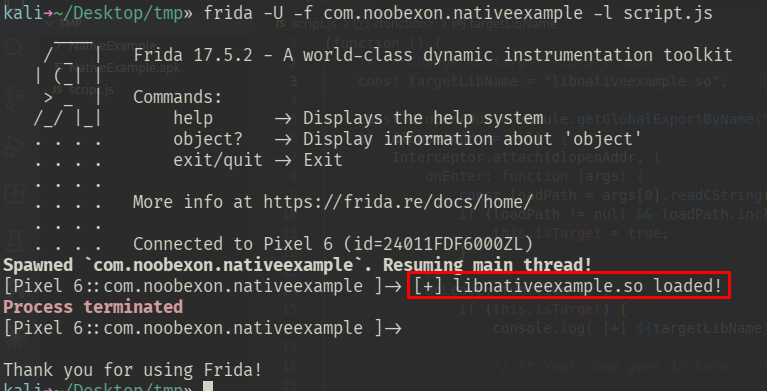
Modify the contents of script.js to include the above snippet, and run. The script tells us exactly when the target library has been loaded.
Second Attempt (Success)
Now that we figured out the solution to the timing problem, all we have to do is take our original script and compose it over our timing mechanism:
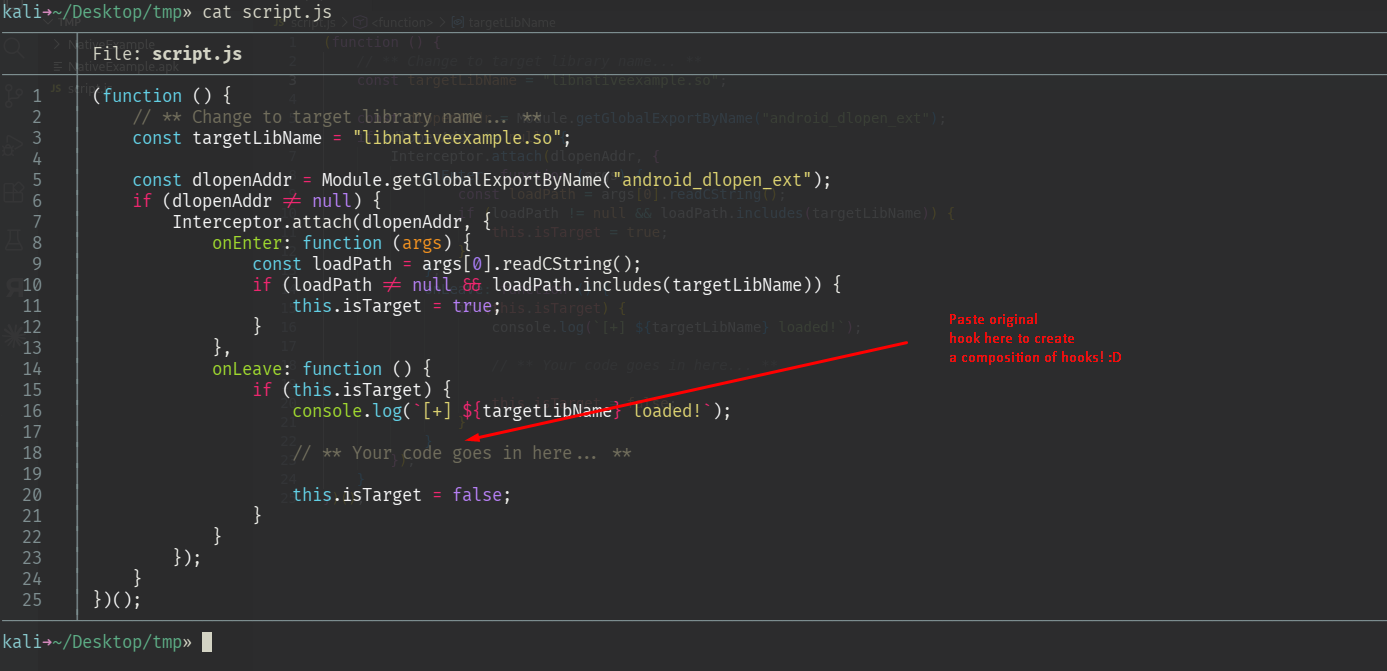
Frida Snippet
(function () {
    const targetLibName = "libnativeexample.so";

    const dlopenAddr = Module.getGlobalExportByName("android_dlopen_ext");
    if (dlopenAddr != null) {
        Interceptor.attach(dlopenAddr, {
            onEnter: function (args) {
                const loadPath = args[0].readCString();
                if (loadPath != null && loadPath.includes(targetLibName)) {
                    this.isTarget = true;
                }
            },
            onLeave: function () {
                if (this.isTarget) {
                    console.log(`[+] ${targetLibName} loaded!`);

                    // ------- ORIGINAL HOOK ---------------
                    (function () {
                        const moduleName = "libnativeexample.so";
                        const functionName = "should_say_hello";
                        const functionOffset = "0x4668";

                        const module = Process.findModuleByName(moduleName);
                        if (module != null) {
                            const targetAddr = module.base.add(functionOffset);
                            console.log(`[+] Hook installed for [${functionName}]`);
                            Interceptor.attach(targetAddr, {
                                onEnter: function (args) {
                                    console.log(`-> entered [${functionName}] at [${targetAddr}]`);

                                    // Your code goes here...
                                },
                                onLeave: function (retval) {
                                    console.log(`<- leaving [${functionName}] at [${this.context.pc}]`);

                                    console.log(`[+] Original return value was: ${retval.toInt32()}`);
                                    retval.replace(1);
                                    console.log(`[+] Modified to: ${retval.toInt32()}`);
                                }
                            });
                        } else {
                            console.log("[!] Failed to find module");
                        }
                    })();

                    // ----------------------------------

                    this.isTarget = false;
                }
            }
        });
    }
})();
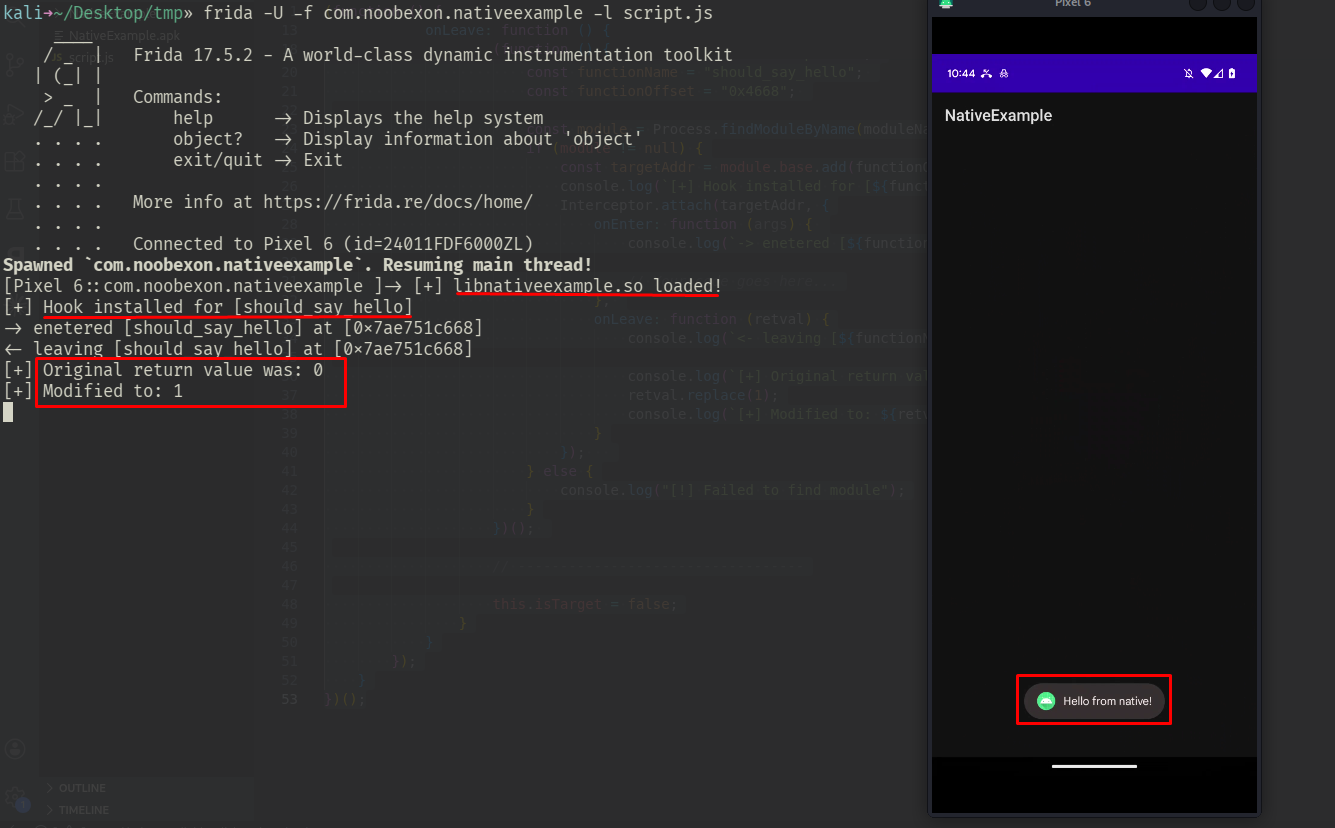
Testing the Hook
As expected, everything works now and the app no longer crashes!
Conclusion & Template
Templates You Should Save
android_dlopen_ext Hook
(function () {
    // ** Change to target library name... **
    const targetLibName = "[MODULE_NAME_PLACEHOLDER]";

    const dlopenAddr = Module.getGlobalExportByName("android_dlopen_ext");
    if (dlopenAddr != null) {
        Interceptor.attach(dlopenAddr, {
            onEnter: function (args) {
                const loadPath = args[0].readCString();
                if (loadPath != null && loadPath.includes(targetLibName)) {
                    this.isTarget = true;
                }
            },
            onLeave: function () {
                if (this.isTarget) {
                    console.log(`[+] ${targetLibName} loaded!`);

                    // ** Your code goes in here... **

                    this.isTarget = false;
                }
            }
        });
    }
})();
Generic Native Hook
(function () {

    const moduleName = "[MODULE_NAME_PLACEHOLDER]"; // <-- Change to target library name...
    const functionRelativeAddress = "[FUNCTION_RELATIVE_ADDRESS_PLACEHOLDER]"; // <-- Change to function offset from the library base address...
    const functionName = "[FUNCTION_NAME_PLACEHOLDER]"; // <-- Change to target function name...

    const module = Process.findModuleByName(moduleName);
    if (module != null) {
        const targetAddr = module.base.add(functionRelativeAddress);
        console.log(`[+] Hook installed for [${functionName}]`);
        Interceptor.attach(targetAddr, {
            onEnter: function (args) {
                console.log(`-> entered [${functionName}] at [${targetAddr}]`);

                // Your code goes here...

            },
            onLeave: function (retval) {
                console.log(`<- leaving [${functionName}] at [${this.context.pc}]`);

                // Your code goes here...

            }
        });
    } else {
        console.log("[!] Failed to find module");
    }
})();